
8 Customer Retention Email Templates That Work in 2026
Eight customer retention email templates with real examples, subject lines, timing tips, and A/B test ideas for win-back, loyalty, and renewal campaigns.
A loyal customer hasn't bought in three months. A trial user created an account but never connected a data source. A B2B customer's reporting activity has dropped, but the account manager won't notice until the renewal conversation.
Each customer needs a different email. The shopper needs a relevant reason to return. The trial user needs help finishing setup. The account owner needs a conversation about what changed, not another product newsletter.
The email sent today can influence who stays next quarter. But sending more isn't the answer. A useful customer retention email responds to a specific situation, removes a specific obstacle, and stops when the customer takes action.
For SaaS teams, that also means connecting marketing with service. These retention strategies for SaaS support teams provide useful context for coordinating customer communication beyond campaigns.
A retention email should make the customer's next step easier, not give the marketing team another reason to send.
The templates below pair sample subject lines and copy with a single reason each approach works, its most common failure, and an A/B test worth running. Sample details are illustrative, not performance promises. Before launch, each flow needs accurate customer data, a working destination, and an owner who can handle replies.
Table of Contents
- 1. Win-back email for lapsed e-commerce buyers
- 2. Day-3 activation check-in for new SaaS sign-ups
- 3. Replenishment reminder for consumable products
- 4. Renewal reminder sequence for B2B annual contracts
- 5. At-risk account check-in based on falling usage
- 6. Loyalty recognition email with early access
- 7. Failed payment recovery email for subscriptions
- 8. Post-support feedback and recovery email
- How the eight retention emails compare at a glance
- Pick One Email and Send It This Week
1. Win-back email for lapsed e-commerce buyers
Win-back copy works when it skips the brand story and returns to a known product. A customer who regularly buys trail socks needs a relevant restock, the right size, and a direct path back to checkout.
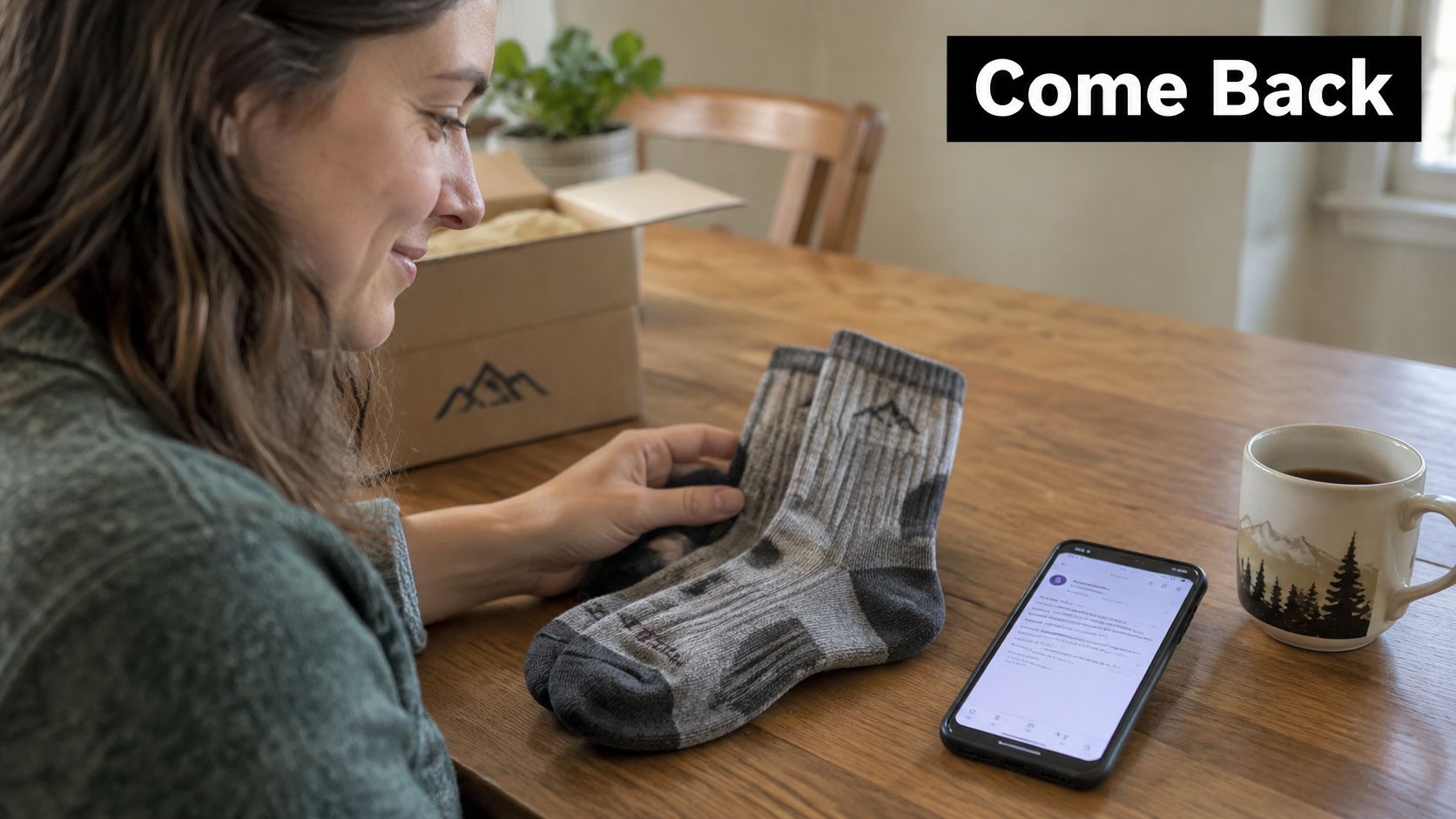
The reason it works: it restores a familiar purchase decision. The customer recognizes the product and can assess the reason to return without browsing an entire catalog. Programs built on preferences, purchase history, predictive segmentation, and automated flows can lift repeat purchases, but a program-level result does not prove that one subject line caused the return.
A product-specific template
Subject: Still interested in the Merino trail socks, Maya?
Sample copy
Maya's last order included the Merino trail pair. The grey colorway is back, and the previously ordered size is available.
Button: Shop the grey Merino pair
Use a recognizable sender, such as a named customer-care contact paired with the brand. Keep the message short, and send customers directly to the relevant product variant rather than the homepage.
- Trigger: Base eligibility on the customer's normal purchase interval, with a product-category fallback when individual history is limited.
- Most common backfire: A completed purchase doesn't remove the customer from the sequence, so a win-back arrives immediately after checkout.
- A/B test: Compare the same restock message with and without an incentive. Judge incremental purchases and contribution margin, not revenue alone.
A sensible retention marketing approach also separates recoverable buyers from recipients who repeatedly ignore promotions. A coffee customer who skipped a delivery may need a resume option. A persistently disengaged shopper may need fewer messages, tighter suppression rules, and a cleaner exit instead of a longer sequence.
2. Day-3 activation check-in for new SaaS sign-ups
Subject: The data connection is still unfinished
Sample copy
The reporting workspace is ready, but the data source isn't connected yet. The setup guide explains the remaining connection step.
Button: Finish connecting the data source
For a blocked connection, a reply with the error message goes directly to the onboarding team.

The reason it works: the email removes uncertainty about the next meaningful action. It doesn't repeat the welcome email or introduce unrelated features before the customer has received value.
Choose that action from retained-user behavior, then check it against the product's actual value proposition. Creating an empty project may be easy to measure without being meaningful activation. A useful product adoption strategy connects the event to something the customer came to accomplish.
Separate timing from content
An email-customization field experiment found that timing customization improved opens, while content customization improved click-through rates. Those are separate decisions, so the first experiment shouldn't change both.
- Most common backfire: The email describes a missing step that the user has already completed because product events haven't reached the automation platform.
- A/B test: Keep the copy identical and compare a calendar-based check-in with a send triggered by an unfinished setup session.
- Success measure: Track completion of the activation event, with unsubscribes and support workload as guardrails.
The flow should stop immediately after activation. A user who completed setup but hasn't returned needs a different message, perhaps a summary of newly available dashboard information. Repeating setup instructions would make the brand look disconnected from the product.
3. Replenishment reminder for consumable products
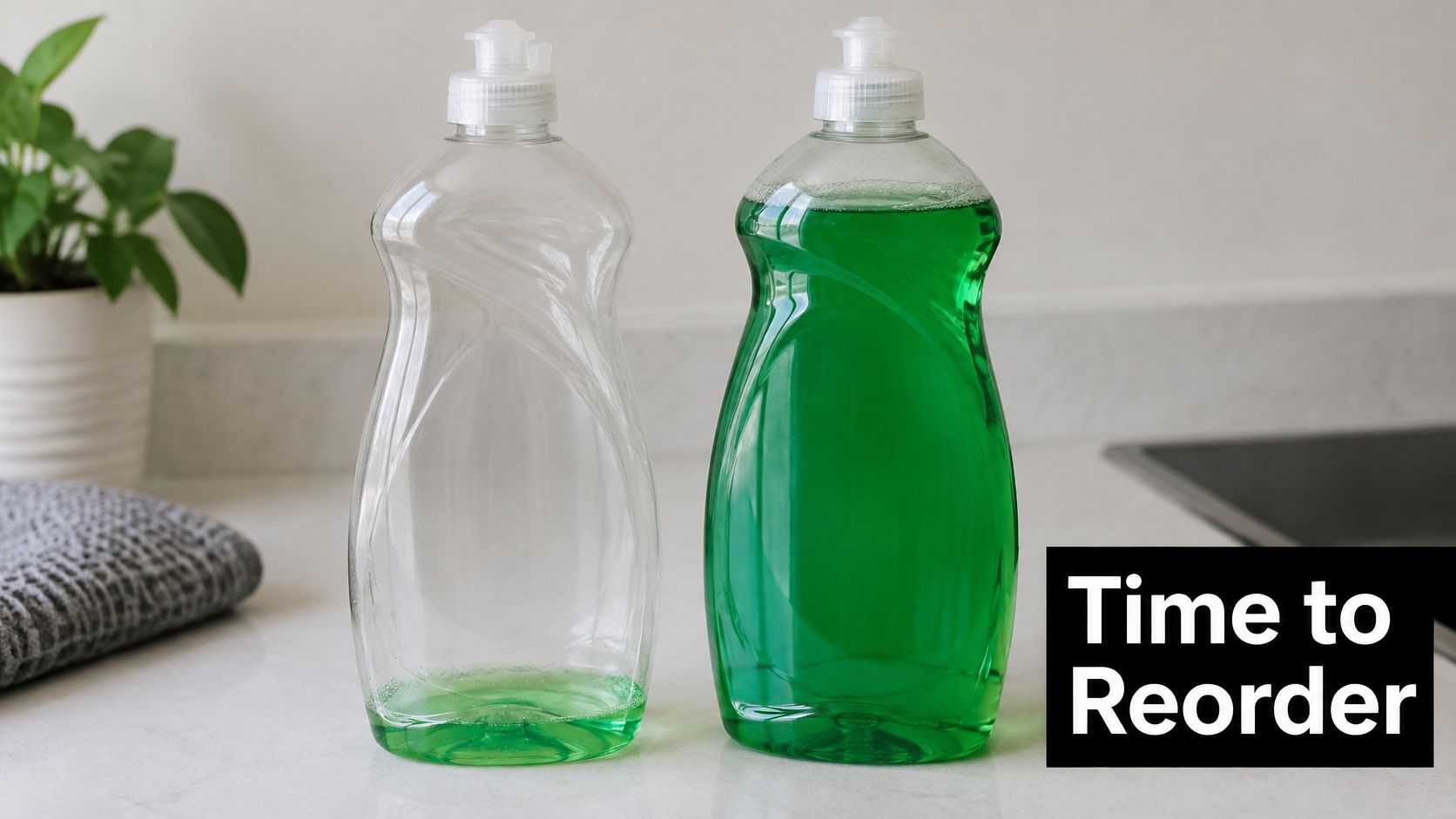
Replenishment emails should answer a practical question: is another order useful now? For dog food, shampoo, coffee, or household refills, the answer depends on usage and quantity, not just the last order date.
A reminder with an escape route
Subject: Time for another dish soap refill?
Sample copy
The next dish soap refill may be due soon, based on the previous order and selected reminder schedule.
Primary button: Reorder the same refill
Secondary option: Move the reminder
The reason it works: it reduces the work involved in repeating a familiar purchase. The customer can confirm the same product rather than rebuild a basket.
The reminder should remain an estimate. Asking about household size or usage in a post-purchase follow-up can improve scheduling, but the preference must be editable. A customer shouldn't need to unsubscribe because a bottle lasted longer than expected.
Practical rule: A postponed reminder is useful preference information, not a failed conversion.
For customers weighing regular deliveries against occasional purchases, Fillaree's refill subscription comparison provides a relevant decision resource. A reminder can offer both paths without forcing a subscription.
- Most common backfire: The brand states a run-out date as fact, despite having only a rough estimate.
- A/B test: Compare a reminder scheduled from purchase history with one scheduled from the customer's declared usage.
- Success measure: Review reorder rate alongside postponements, cancellations, and complaints.
Send ahead of the expected need, allowing for fulfillment and delivery. The checkout should preserve the previous product and quantity, while still allowing edits. Convenience disappears if the customer has to search for the item again.
4. Renewal reminder sequence for B2B annual contracts
Sixty days before a March renewal, the account manager's calendar already holds the renewal call, the procurement review, and the internal sign-off the customer needs. If the first renewal email lands inside that window as a surprise, the sequence started late. The contract decision needs room to happen before the administrative deadline closes it.
The reason it works: a staged sequence separates the buying decision from the paperwork. Each message answers a different question instead of repeating the same renewal request.
Give each message a distinct job
- Value review subject: The team's reporting progress before renewal Sample copy: The attached summary shows completed reporting workflows, active teams, and the outcomes recorded during the contract. The account manager can review remaining goals before the renewal decision.
- Terms subject: Renewal terms for the March contract Sample copy: The renewal summary includes pricing, seats, support coverage, and the applicable notice date. Questions about scope or procurement can go directly to the named account manager.
- Confirmation subject: Contract renewal confirmation Sample copy: The contract summary explains the renewal process and any action required. Seat changes can be submitted through the account portal.
Send the value review first, while there is still time to act on it. Terms follow once the account has agreed the contract is worth keeping. Confirmation closes the loop.
Usage counts need context. A report total doesn't prove commercial value unless the customer connects those reports to a useful outcome. Ask the account owner to validate the summary before it becomes renewal copy.
Most common backfire: The email reaches an active user but misses the budget owner, procurement contact, or person authorized to renew. Contact roles need checking before the sequence starts.
A/B test: Compare a customer-outcome subject line with a contract-administration subject line. Keep the sender, content, and send timing consistent, and measure qualified renewal conversations rather than opens alone.
The event mapping used in e-commerce marketing automation also offers a useful operational pattern here: define entry conditions, exits, and exceptions before launch. An account already negotiating new terms shouldn't keep receiving generic reminders.
5. At-risk account check-in based on falling usage
Weekly report runs fall from 14 to 3 over two weeks, and the alert lands with the account owner. Usage drops have several causes: a holiday period, a completed project, a staffing change, or a tracking fault can produce the same signal. Verify the drop before the email goes out.
Subject: Has the reporting workflow changed?
Sample copy
Reporting activity appears lower than the account's usual pattern. Has the team's workflow changed, or is something blocking the next report?
A reply reaches the named account manager.
The reason it works: it invites an explanation before prescribing a solution. The customer can describe a process change, product gap, or new priority without defending a usage score.
Check the signal before contacting the customer
Build the baseline at account level. Compare like-for-like activity, exclude known outages, and check whether work moved to another feature or workspace. An account that goes quiet every August should never trigger a September alarm. The churn rate reduction process should connect each alert to a named owner and a defined response.
A randomized subscription-service experiment found that recipients had 26.3% lower odds of churning across the five-month study period, and the authors also observed fatigue after the second email. I would cap this sequence at the check-in plus one follow-up. An account that stays silent after that needs a human review, since more automation will only train the contact to ignore the sender.
- Most common backfire: The message sounds like surveillance or scolding, especially when it includes unnecessary behavioral detail. Keep the copy at the level of "activity appears lower," and leave page-level tracking out of the email.
- A/B test: Compare a workflow question with an offer of hands-on troubleshooting. Measure substantive replies and resumed meaningful activity, and keep the sender and timing identical so the only variable is the ask.
- Follow-through: Record the explanation in the CRM and route the account to the person who can resolve it.
A staffing change calls for onboarding a new owner. A missing capability calls for product involvement. Another automated reminder solves neither, and a promise to help needs an assigned human behind it.
6. Loyalty recognition email with early access
Sam just placed a fifth order, and the account record shows it. That milestone deserves its own message before anyone asks for a review, referral, or larger purchase.

Subject: Sam's next-order milestone comes with a first look
Sample copy
Thanks to Sam for reaching the repeat-order milestone. Early access to the spring range is available before the public launch.
Button: Preview the spring range
The preview includes the product categories selected in the preference center.
The reason it works: it makes recognition concrete. A real privilege tied to a meaningful milestone is more credible than an automated congratulations message with a standard discount.
Match the perk to the customer
For a consumer brand, the perk might be a product preview or a sample. For a SaaS account, it could be an optional preview of a relevant reporting feature. Neither needs to become a compulsory sales conversation.
Declared interests beat guesswork here. In Attentive's UK email and SMS study, 84% of respondents wanted to customize the types of brand messages received by channel. Preference-center selections give a starting point for choosing the preview, rather than treating every loyal customer as interested in every launch.
- Most common backfire: Early access must open before the public launch, and the featured products must be available when the email arrives. A "first look" that links to a page anyone can already visit reads as a sales push, not a privilege.
- A/B test: Compare milestone-led and preview-led subject lines while keeping the benefit identical.
- Success measure: Track meaningful participation and subsequent customer behavior, not just clicks on an intriguing subject line.
The milestone itself must be accurate. Merged customer profiles, refunds, and shared B2B accounts can distort eligibility, so test the segment against actual records before launch. Customer service should also be able to explain why each recipient qualified. The fastest way to sour a loyal buyer is a perk they are told they did not earn.
7. Failed payment recovery email for subscriptions
Payment recovery needs clear billing information, not promotional copy. A customer with an expired card should be able to understand the problem and fix it without searching the account settings.
A calm recovery sequence
Initial subject: The subscription payment didn't go through
Sample copy
The latest subscription payment couldn't be completed. Payment details can be updated securely through the billing portal.
Button: Update payment details
Access remains available until the date shown in the account.
Follow-up subject: Payment details still need updating
Sample copy
The subscription hasn't renewed. The billing portal shows the next retry date and any action needed to keep access active.
Pause subject: The subscription is paused
Sample copy
The subscription is paused following an unsuccessful renewal. The account page explains restart options and the applicable data-retention terms.
The reason it works: it gives a willing customer a direct route around a payment obstacle. The message doesn't ask for another buying decision when the immediate problem is billing.
Configure retry logic in the billing platform before enabling the email flow. Stripe Billing or Chargebee should supply the current payment state, so a successful retry immediately stops recovery messages.
- Most common backfire: A stale message threatens suspension after payment has succeeded, or promises saved projects beyond the actual retention policy.
- A/B test: Compare a plain payment-failure subject with one naming the subscription. Keep deadlines and billing facts identical.
- Success measure: Track recovered subscription revenue separately, alongside support contacts and payment-related cancellations.
Keep card details out of replies and direct customers to the authenticated billing portal. The message should also identify a support route for purchase-order customers or billing administrators who can't resolve the issue through card replacement.
8. Post-support feedback and recovery email
The CSV export ticket closed on Monday, but the customer's next export failed on Tuesday. Send a short check-in that asks whether the task now works and makes it easy to reopen the issue.
Subject: Is the CSV export working now?
Sample copy
Your CSV export issue was marked resolved. Is the corrected export working for you now?
Response options: Solved / Still blocked
If the customer is still blocked, route the ticket history and their response to the support team. They should not have to explain the issue again.
The reason it works: it checks whether the customer completed the task, rather than treating an internal ticket status as proof. The customer gets a direct route back to help.
Make the negative response actionable
A personalized welcome-email experiment for a crafting retailer reported a 20% relative improvement in multi-purchase conversion against its control. The experiment concerned welcome emails, but its measurement approach applies here: assess what customers do after the message, not just whether they click.
Track unresolved cases, successful fixes, reopened tickets, and later account activity. A survey click starts follow-up; recovery shows up in later account activity.
- Most common backfire: The customer selects “Still blocked,” gets an automated acknowledgment, and hears nothing afterward.
- A/B test: Compare an issue-specific subject with a generic resolution-check subject. Measure which version leads to more confirmed resolutions.
- Ownership: Route negative responses to a named queue with a clear service commitment and escalation path.
A practical voice of customer program can tag recurring causes for product and operations teams to address. If the same permissions issue keeps breaking exports, connect those tickets to the shared cause.
A customer who reports an unresolved problem needs a fix before a review request.
A brief acknowledgment is enough for a positive response. For a negative one, pass along the ticket context, assign an owner, and give the customer a clear next update. The handoff only builds trust when the promised follow-up arrives.
How the eight retention emails compare at a glance
The trigger and timing identify when each email belongs. The first metric to check shows whether it did its job. Set account-specific thresholds where customer behavior varies.
| First metric to check | Common backfire | |
|---|---|---|
| Win-back email for lapsed e-commerce buyers | Revenue within 14 days of sending | A discount trains buyers to wait for the next offer |
| Day-3 activation check-in for new SaaS sign-ups | Activation rate within 14 days | A generic prompt ignores the action blocking setup |
| Replenishment reminder for consumable products | Reorder rate by cohort | An early reminder arrives before the customer needs a refill |
| Renewal reminder sequence for B2B annual contracts | Renewal pipeline and at-risk accounts | A reminder reaches the buyer before the account team has addressed concerns |
| At-risk account check-in based on falling usage | Account recovery or churn reduction | An alert fires on a temporary usage dip; set a threshold against each account's baseline |
| Loyalty recognition email with early access | Customer engagement and advocacy | The milestone feels arbitrary or the access offer lacks value |
| Failed payment recovery email for subscriptions | Recovered revenue | Repeated reminders continue after the customer has updated payment details |
| Post-support feedback and recovery email | Issue resolution and customer satisfaction | A negative response gets no clear owner or follow-up |
Each row pairs a success metric with the failure mode to watch. Next week, A/B test one change tied to that failure mode, such as a more relevant setup prompt or a later replenishment send, and compare the row's metric.
Pick One Email and Send It This Week
Choose the first experiment by finding where customers are getting stuck. Then give one person ownership of the send, the customer destination, and the follow-up. A complete lifecycle program can wait. One reliable trigger, a relevant message, and a clear exit condition are enough to start.
Use the first week to make the experiment ready to run. For e-commerce, check that the product page still matches the item named in the email. For SaaS, have someone outside the campaign team follow the message's instructions and flag unclear steps. For subscriptions, confirm that the reply route reaches someone who can resolve billing questions.
Frequency needs its own decision. A large-scale online retail field experiment found that sending fewer emails reduced unsubscriptions by 59%, while short-term revenue and purchase rate declined by 5–8%. Track customer action alongside permission to keep communicating. Purchases, completed setup, recovered payments, and resolved problems belong beside unsubscribes, complaints, and support workload.
Make the first experiment small and interpretable
Keep the audience, destination, and offer consistent while testing one subject line or send time. Where volume allows, include a no-email control to estimate how many customers would have acted without the message.
Set an initial review date, then wait for a full buying cycle before declaring a winner. Annual renewals and long purchase cycles need longer observation than a short-term campaign. Small samples also need more time.
Before sending, test the destination, reply routing, eligibility rules, and suppression behavior with sample records. After the send, review customer replies alongside campaign metrics. A confusing renewal term or broken setup step may deserve attention before another subject-line test.
Start with the customer problem your team can address this week. Assign an owner, launch the smallest useful experiment, and make sure someone is ready to act on what customers do next.
Sprints & Sneakers is a B Corp-certified growth marketing agency serving B2B and B2C brands. Its personalized growth scan helps teams identify the bottleneck to address across the funnel, including gaps in onboarding, repeat purchasing, and churn-risk communication. Visit Sprints & Sneakers to discuss a focused customer retention email experiment and how to measure it.
Related articles
Frequently asked questions
Growth marketing, AI and automation, SEO, performance marketing, retention strategies, and sustainable business practices.
Weekly. Subscribe to our newsletter to get new articles straight to your inbox.
Absolutely. Everything we publish is designed to be actionable. Take it, test it, and make it your own.
Yes. We publish experiments with real numbers. What worked, what didn't, and what we learned.
Our growth team — strategists, performance marketers, data specialists, and AI builders who work on client campaigns every day.
We're open to it. Reach out via our contact page with your topic and we'll take a look.