
Marketing Analytics Dashboard: A Practical Full-Funnel Guide
Build a marketing analytics dashboard that drives full-funnel growth. Practical steps for KPIs, data sources, layout, and iteration.
They don't have a data problem. They have a decision problem.
A marketing analytics dashboard should tell a growth team what happened, why it happened, and what gets touched next. Instead, most dashboards turn into a crowded wall of charts, each one slightly different, each one defending its own version of revenue. The result is familiar: more visibility, less action.
Table of Contents
- Why Most Marketing Analytics Dashboards Fail
- Defining Goals and KPIs for Every Funnel Stage
- Mapping Data Sources and Standardizing Attribution
- Designing Dashboard Layouts That Drive Decisions
- Choosing Tools and Integrations Without Overbuilding
- Implementing Tracking, QA, and Iterating with Tests
- Your 30-Day Marketing Analytics Dashboard Sprint
Why Most Marketing Analytics Dashboards Fail
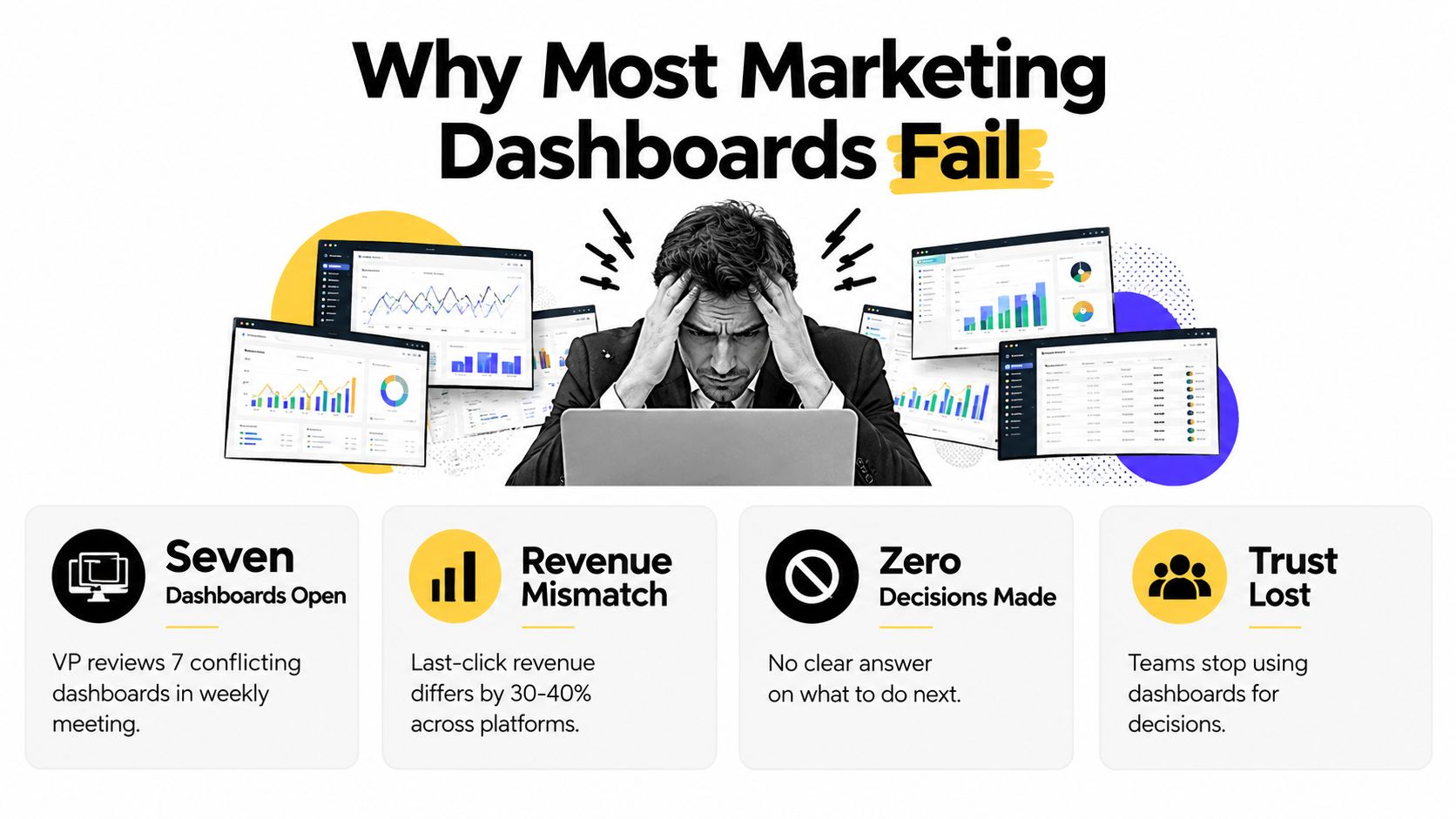
A VP of marketing walks into the weekly review with seven tabs open. One says paid search is winning, another says email drove the deal, a third says last-click revenue looks flat, and no one in the room can agree on which number to trust. The meeting ends the same way it started, with confidence gone and no action decided.
Vanity charts win by default
Most dashboards fail because they're built from whatever the tools export easily. That creates a junk drawer of impressions, clicks, sessions, and platform-reported conversions with no shared logic behind them. A useful operating model starts with the problem, not the export.
Practical rule: if a tile doesn't point to an owner, a threshold, and a next step, it doesn't belong on the main dashboard.
That's where the reporting-layer mindset breaks down. Reporting tells the team what changed, while a decision engine tells the team what to do now. The difference is massive at scale, especially when leadership needs one view that links spend, traffic, pipeline, and revenue into a single conversation.
The hidden cost is decision drift
A cluttered dashboard trains people to ignore the dashboard. That's not a design issue, it's an operating failure. The moment teams stop trusting the dashboard, they return to ad hoc exports, and every meeting becomes a spreadsheet argument.
For a good companion on how monitoring systems should support action, the SaaS monitoring metrics guide is useful because it treats metrics as operational signals, not decorative reporting. That's the right frame for marketing too.
The same problem shows up in performance reporting habits. A team can spend weeks perfecting a quarterly deck and still miss the simple question of what to change this week, which is why the internal marketing performance reporting view matters more than another chart dump.
Funnel leakage gets buried
Teams over-invest in late-stage attribution because it's easy to defend in board meetings. That leaves awareness and consideration under-instrumented, even though those stages often hold the next real growth opportunity. If the dashboard only tells the team where the deal closed, it's too late to influence the earlier behavior that created it.
The fix is not more charts. It's a dashboard where every metric answers three questions, who acts, by when, and how success gets measured. That framing changes the whole build.
Defining Goals and KPIs for Every Funnel Stage
Start with the decisions each funnel stage must drive. The KPIs should make those decisions easier, while vanity metrics lose their place on the main view. A marketing analytics dashboard earns its place when every signal has an owner, a threshold, and a defined action cadence.
Build from business outcomes down
Awareness should show whether qualified attention is growing, rather than count traffic. Consideration should reveal whether the right prospects are progressing, rather than reward lead volume alone. Revenue reporting must connect pipeline quality with closed outcomes, while retention reporting should show whether customer value is expanding or weakening.
Before locking KPIs, align the team on what marketing analytics covers, as outlined in what is marketing analytics. Then assign each metric to a person who can change the result.
Use illustrative starting points, not universal benchmarks. Awareness might use branded search lift with a +10% week-over-week guardrail owned by demand gen. Consideration might track MQL-to-SQL conversion with a floor of 22% owned by marketing ops. Retention might monitor net revenue retention above 105% owned by customer success. Calibrate these thresholds against your baseline, sales cycle, business model, and quarterly objective. Their value comes from triggering a review and response, not from appearing authoritative.
SEO needs the same discipline. Organic growth matters only when it contributes to valuable outcomes. The guide on how to measure SEO ROI keeps evaluation tied to business return rather than traffic volume.
Owner logic matters more than metric count. If nobody owns a metric, nobody will fix the break when it moves.
KPIs by Funnel Stage
| Funnel Stage | Primary Goal | Key KPIs | Action Threshold | Owner |
|---|---|---|---|---|
| Awareness | Earn qualified attention | Branded search lift, qualified sessions, cost per qualified visit | Branded search falls below the illustrative guardrail or cost per qualified visit rises | Demand gen |
| Consideration | Move the right prospects into hand-raisers | MQL-to-SQL conversion, content-assisted conversions, sales-accepted lead rate | MQL-to-SQL falls below the illustrative floor | Marketing ops |
| Acquisition | Convert interest into pipeline | Demo requests, pipeline created, cost per opportunity | Pipeline quality weakens or cost per opportunity rises too quickly | Growth lead |
| Revenue | Prove spend turns into cash | Closed-won revenue, CAC, ROMI | Revenue lags while spend climbs | Revenue marketing |
| Retention and Expansion | Protect and grow customer value | Net revenue retention, expansion pipeline, churn signals | NRR falls below the agreed target or expansion stalls | Customer success |
Reject proxy metrics early
Raw sessions, impressions, and generic click counts can support analysis, but they should not lead the scorecard. If traffic rises while pipeline stays flat, the dashboard is hiding the commercial problem. Put cost per outcome and velocity metrics closer to the top because they show whether the funnel is advancing and where momentum is slowing.
Tie the dashboard to the quarterly OKR. A qualified-pipeline objective should surface stage conversion, time to conversion, and cost per qualified outcome for every channel. Set a weekly review for leading indicators, a monthly review for efficiency, and a quarterly review for revenue impact. The meeting should answer one question: which stage broke, and who owns the next fix?
Mapping Data Sources and Standardizing Attribution
A dashboard can show green numbers while finance, sales, and marketing work from different revenue totals. That happens when each system keeps its own definitions. Build the measurement model first, then decide which charts deserve space.
Centralize before you interpret
Use a simple architecture: place a cloud data warehouse at the center, retain session data in a web analytics source, connect lifecycle records from a CRM system, and use a transformation or modeling layer to produce canonical event and revenue tables. This gives every dashboard metric a defined owner, field, and calculation.
Write the definitions down. Specify what counts as a lead, qualified opportunity, activated account, conversion, and revenue. Record the event name, source system, timestamp, customer identifier, and responsible owner. If a metric cannot be traced to those details, keep it out of the executive view until the gap is fixed.
The recurring problem is attribution drift. Last-click logic can inflate branded demand, cross-device gaps can over-credit email, and privacy changes can distort paid social reporting. These failures are common because each source observes only part of the customer journey.
Use the marketing tracking analytics 2026 guide as a reference for connecting measurement across sources rather than treating exports as separate reports.
Do not aggregate before you standardize. If revenue has different definitions across systems, the dashboard creates arguments instead of decisions.
Standardization beats platform-native attribution
Native attribution remains useful for optimizing activity inside one channel. It should not set the company-wide revenue story. A centralized model can align campaign names, customer identifiers, conversion windows, and revenue rules across the funnel. It also gives finance and marketing a calculation they can inspect and challenge.
The architecture should include a cloud data warehouse, a session-level analytics source, a lifecycle or CRM system, and a transformation or modeling layer. The category names matter less than the operating rule: one canonical model, one revenue definition, and one dashboard truth. Assign an owner to each source and document how corrections reach the reporting layer.
Use a configurable stop rule when numbers diverge
Set a revenue reconciliation threshold before campaigns launch. A material divergence, for example more than 8% in many teams' experience, can serve as a configurable starting point, not a universal law. If two systems cross the agreed threshold, pause scaling, identify the broken field or join, and reconcile the totals before increasing spend. Review the threshold as tracking quality improves, but never let a familiar number replace an investigation.
Designing Dashboard Layouts That Drive Decisions

A marketing analytics dashboard should function as a decision engine, not a gallery of charts. A growth lead opening it should know what changed, whether the result crossed a threshold, who owns the response, and when that response is due. Read the page from top to bottom: status first, trend second, detail third.
The opening view answers one question: is performance healthy? The next layer explains movement over time. The final layer identifies the segment, campaign, or cohort that needs attention. This reading order keeps the team focused on action rather than exploration.
Build the page around the next decision
The top band should show each core KPI's status, threshold, and owner. The middle band should show recent movement and highlight inflection points. The bottom band should expose the detail needed to act without opening another report.
Map the same logic to the funnel. Awareness metrics need a channel owner and a review cadence. Acquisition and conversion metrics need thresholds tied to budget or pipeline decisions. Retention metrics need a customer or lifecycle owner and a defined follow-up window. A chart without an owner or action rule is decoration.
Role-specific views prevent compromise. Executives need a small set of KPIs for a weekly review. Growth leads need funnel movement and channel mix. Analysts need cohort cuts and attribution detail. One screen rarely serves all three well, so create a shared operating view and separate diagnostic views.
The analytics dashboard examples resource reinforces the practical point: teams need different question sets, not different color themes.
Keep the wireframe ruthless
Remove any tile that does not change a decision. Experimental charts belong in a sandbox tab, away from the operating view.
- Top band: show status, threshold, owner, and review cadence.
- Middle band: show trend direction, inflection points, and anomalies.
- Bottom band: show the segment or campaign requiring action.
- Annotation layer: add one concise “so what” note with the named owner.
- Archive view: store exploratory charts outside the decision screen.
Put the layout in funnel order
Organize the dashboard from awareness through retention, rather than by data source. A source-based layout mirrors the reporting architecture. A funnel-based layout shows where leakage begins and which team must respond.
Remove the unapproved third-party video embed. The written reading order is clearer, faster to maintain, and sufficient for a dashboard walkthrough.
Choosing Tools and Integrations Without Overbuilding
The wrong stack creates permanent maintenance debt. The right stack gets the team to a trusted dashboard quickly, without forcing every marketer to become a part-time data engineer. The rule is simple, buy for the decision you need this quarter, not the architecture slide you hope to show next year.
Score the stack on decision speed
A tool should earn its place by answering four questions. How fast can it produce a usable dashboard, how deep is the attribution, what does it cost at the current event volume, and how portable is the data if the team outgrows it. If a platform fails any one of those badly, it becomes a trap.
Native ad-platform dashboards are still useful, but only for in-platform optimization. They're inputs, not the system of record. The moment the team wants one view across web, CRM, and revenue, those native dashboards stop being enough.
For teams trying to extend reporting beyond a short-lived hosted setup, the beyond Google 16 month data limit resource can help frame the portability problem. That issue gets ignored too often until the dashboard history disappears.
Use the right tier for the team
A starter stack works when the team is small, the source count is modest, and the reporting horizon is short. A mid-market stack makes sense when data ownership matters more than convenience. An enterprise stack is for teams that need governance, scale, and repeatable normalization across many sources.
| Tier | Stack Example | Time-to-Value | Attribution Depth | Total Cost | Portability |
|---|---|---|---|---|---|
| Starter | Session analytics plus spreadsheets | Fast | Limited | Low | Low to medium |
| Mid-market | Warehouse plus BI | Moderate | Strong | Moderate | High |
| Enterprise | Composable CDP plus BI plus attribution layer | Slower | Deep | Higher | High |
A practical middle path is to use an event pipeline into the warehouse, then layer BI and attribution on top. That gives the team room to grow without locking into a brittle reporting habit. It also makes the dashboard easier to govern because the data model sits upstream of the visual layer.
Avoid overbuying for edge cases
Tools that lock event data behind opaque schemas usually create more frustration than value. So do tools that charge heavily for read-only viewers. If the dashboard is meant for wide use, it needs frictionless access, clean exports, and clear ownership.
Sprints & Sneakers fits into this category as a service option, because it builds dashboard-oriented growth reporting, and maps web, CRM, paid media, email, and product or purchase data into shared views. That matters when the team wants the reporting layer and the experiment layer to speak the same language.
Implementing Tracking, QA, and Iterating with Tests
A dashboard is never finished. The work starts after launch, when tracking breaks, definitions drift, and some metrics turn out to be useless in meetings. The teams that win treat the dashboard like an operating system, with version control, QA, alerts, and review cycles.
Ship tracking like software
Events need a versioning schema from day one. Every major interaction should be tracked consistently across web, mobile, and server sources, then checked against the source systems on a schedule. If the team skips that discipline, the dashboard becomes a snapshot of old assumptions.
The QA checklist should cover tracking names, event counts, revenue totals, and freshness across the whole stack. Weekly validation is enough, but it has to happen. When a break appears, the alert should go to a named owner, not a shared inbox.
For deeper thinking on attribution across channels, the cross-channel marketing attribution resource fits well because it treats the measurement problem as a journey problem, not a single-source problem.
Treat every alert as a budget protection issue. Tracking gaps are not technical noise, they can change where money gets spent.
Tie experiments to dashboard lines
Each experiment should map to one KPI on the dashboard, with a hypothesis and a pre-registered decision rule. That keeps tests from becoming creative theater. If the test doesn't change a dashboard decision, it shouldn't be run.
A monthly review should ask two blunt questions. Which dashboards led to an actual decision, and which ones didn't. Any tile that never changed behavior is a candidate for removal. A dashboard that nobody acts on is just expensive decoration.
Keep the learning attached to the tile
The best teams store experiment notes where the metric lives. That way, a new analyst doesn't inherit a chart without context. They inherit the reason the chart exists, the last decision it drove, and the threshold that makes it relevant.
Your 30-Day Marketing Analytics Dashboard Sprint
More charts won't save a weak dashboard. Better decisions will. The next 30 days should be about focus, because a dashboard earns its keep only when it changes what the team does next.
Week 1 and Week 2
Lock goals and KPIs for every funnel stage, then assign owners and document thresholds. Audit data sources, standardize event and UTM naming, and reconcile attribution gaps before anyone asks for a prettier view. If the numbers can't be trusted, the layout doesn't matter.
Week 3 and Week 4
Ship one role-based dashboard with status, trend, and detail sections. Retire vanity charts that don't trigger action, then wire alerts for the KPIs that move budget. Add one experiment per stage so the dashboard starts teaching the team where to push next.
- Week 1: define funnel goals, KPIs, owners, and thresholds.
- Week 2: clean tracking, standardize naming, and fix attribution mismatches.
- Week 3: launch the main role-based view, remove weak charts, and add alerts.
- Week 4: connect experiments, run decision reviews, and prune anything that doesn't lead to action.
The exit test is simple. Every stakeholder should be able to answer three questions in under five minutes, where we are, why, and what to do next. If that's not true, the dashboard still isn't a decision engine.
Sprints & Sneakers helps B2B and e-commerce teams turn messy reporting into a working growth system, with dashboards, measurement, and funnel experiments tied to real decisions. If the current setup feels more like a reporting burden than a decision engine, visit Sprints & Sneakers and use it as a starting point for a sharper dashboard strategy.
Related articles



Frequently asked questions
Growth marketing, AI and automation, SEO, performance marketing, retention strategies, and sustainable business practices.
Weekly. Subscribe to our newsletter to get new articles straight to your inbox.
Absolutely. Everything we publish is designed to be actionable. Take it, test it, and make it your own.
Yes. We publish experiments with real numbers. What worked, what didn't, and what we learned.
Our growth team — strategists, performance marketers, data specialists, and AI builders who work on client campaigns every day.
We're open to it. Reach out via our contact page with your topic and we'll take a look.